Introduction
The demand for high-impact presentations has never been more intense across the corporate landscapes of Sydney, Melbourne, Brisbane, and Perth. Whether you are addressing an internal boardroom of executive stakeholders or presenting on a massive stage at a national industry forum, the foundation of your success rests entirely on your preparation.
One of the most powerful tools an executive, team leader, or professional presenter can utilise to anchor their delivery is a meticulously structured set of keynote speaker notes. When you step onto a platform, you are doing far more than just sharing corporate data or reading slides. You are commanding a room, projecting institutional authority, and directing the attention of hundreds of professionals toward a singular, shared business vision.
However, delivering an exceptional business presentation requires you to break free from the trap of memorisation or reading word-for-word text. The true secret to commanding a stage lies in your ability to translate deep industry knowledge into a highly functional blueprint. By developing strategic keynote speaker notes, you can remain entirely flexible, authentic, and engaged with your audience while executing a flawless strategic timeline.
The Strategic Importance of Professional Keynote Speaker Notes
Many presenters treat their presentation records as a simple safety net to prevent them from forgetting their next sentence. This is an operational mistake. The choice to develop an organised layout should always be viewed as a core strategic tool designed to maximise executive performance.
Breaking Through the Trap of Scripted Reading
When an executive stands before an audience and reads from a fully written script, the connection with the room is instantly lost. The presentation quickly turns into a cold, transactional lecture. Audiences are incredibly sharp, and they can immediately spot a presenter who relies on rigid, over-prepared text boxes.
Utilising structured keynote speaker notes allows you to overcome this limitation by providing clear, visual triggers rather than full sentences. Because you are not trapped reading lines of text, your delivery remains natural and conversationally warm. This simple shift allows your industry insights to carry far more professional weight, establishing immediate authority and trust.
Navigating Stage Pressure and Keeping Your Focus
Within any high-stakes corporate environment, unforeseen variables are bound to occur. Technical glitches can pause your slide deck, microphones can briefly drop audio, or audience reactions might require you to adjust your timing on the fly. Without an organised framework, these distractions can easily cause a speaker to lose their train of thought.
Having clear keynote speaker notes right in front of you acts as a steady structural anchor. Even if the venue’s projector completely fails mid-presentation, a well-mapped outline ensures you can confidently navigate through the disruption. You can look down, scan your primary bullet points, and continue delivering your core business message without skipping a beat.
Designing for Maximum Impact: Structural Layout Rules
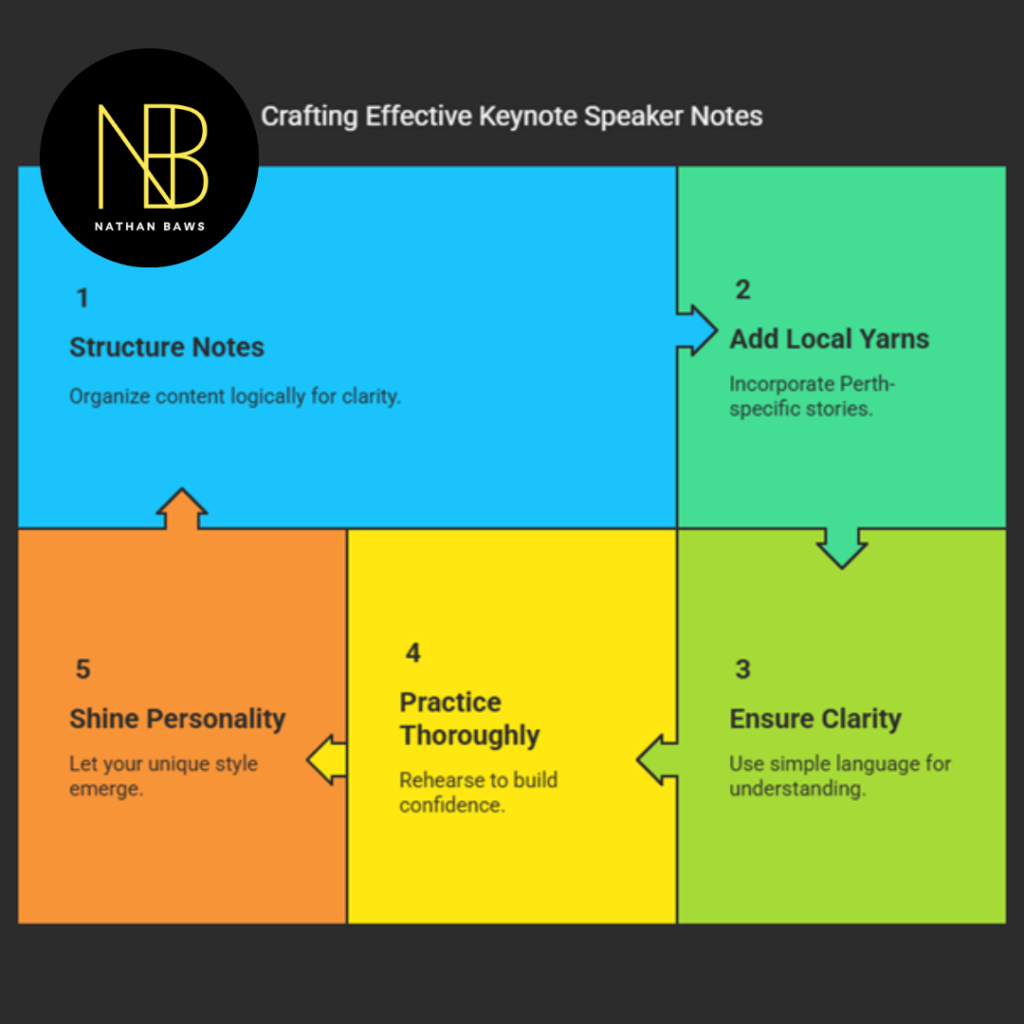
While anyone can jot down a few random reminders before giving a talk, elite corporate leaders use a highly deliberate design system. Your personal keynote speaker notes should follow specific layout principles that allow your brain to process information instantly under pressure.
Prioritising White Space and Clear Typography
The middle of a high-energy presentation is not the time to be squinting at a wall of tiny, crowded text. If your reminders are packed too closely together, your eyes will struggle to find your place quickly, causing awkward, unscripted pauses on stage.
To prevent this, ensure your keynote speaker notes utilise large, bold fonts and clean, generous spacing. Leave ample room between each primary concept. By keeping your layout incredibly clean, you can effortlessly maintain your connection with the audience while keeping your operational timeline completely on track.
Utilising Bold Core Triggers Over Complex Explanations
Your stage documentation should never look like a page out of a corporate textbook. Instead of writing out full explanations, your framework should rely entirely on high-impact keywords, crucial statistics, and direct action prompts.
Professional keynote speaker notes leverage short, scannable phrases that immediately trigger your memory. For example, instead of writing an entire paragraph about a supply chain case study, you might simply use a bold phrase like “The 2024 Logistics Pivot.” This single trigger instantly flashes the entire story into your mind, letting you share the lesson naturally and dynamically.
Embedding Intentional Time Hacks and Structural Pacing
An excellent presentation requires strict time management. It is incredibly easy to spend too much time on an opening story, forcing you to rush through your most critical strategic solutions at the end.
To avoid this common issue, embed clear, explicit time stamps directly into your keynote speaker notes. Write a quick note next to your main headers showing exactly where you should be on the clock (e.g., “[15-Minute Mark]”). These simple guideposts let you monitor your pacing in real time, giving you the clarity needed to adjust your delivery and finish exactly on schedule.
Maximising Stage Value: The Anatomy of an Elite Outline
To build a truly world-class presentation outline, you must approach its creation with deliberate intent. Elite keynote speaker notes are broken down into three distinct, high-performance operational zones.
Zone 1: The High-Energy Opening Hooks
The first two minutes of your presentation are absolutely critical for capturing the room’s attention. Your opening notes should clearly map out exactly how you plan to wake up the audience and set the tone for the event.
- The Core Hook: Start with a surprising industry statistic, a direct question to the room, or a brief glimpse into a major operational challenge.
- The Strategic Problem: Explicitly state the exact corporate issue your presentation is going to solve.
- The Value Proposition: Give the audience a clear, compelling reason to lean in and listen closely to your strategies.
Avoid writing generic pleasantries in this section of your keynote speaker notes. Focus entirely on high-impact visual triggers that remind you to stand rooted, make direct eye contact across the room, and deliver your opening statement with maximum energy.
Zone 2: The Core Strategic Framework
This central part of your documentation contains the meat of your presentation. It holds the vital frameworks, case studies, and corporate strategies you are sharing with the organisation.
For each core point you cover, your keynote speaker notes should include a single, clear header followed by a maximum of 3 supporting details or crucial metrics. Keep this section highly structured. This layout helps you present complex data smoothly, ensuring your team can easily follow along and take their own notes.
Zone 3: The Actionable Roadmap and Closing Statement
The final moments of your talk should never be a slow, awkward fade-out. Your closing notes must guide the audience toward a clear, decisive call to action.
- The Executive Summary: Quickly recap the two or three most critical lessons from your presentation.
- The Action Roadmap: Hand the audience a specific operational step they can confidently execute first thing Monday morning.
- The Final Punchline: Leave the room with a memorable, inspiring thought that sticks with them long after the event wraps up.
Ensure your keynote speaker notes explicitly remind you to slow down your speaking pace during the conclusion. Pausing intentionally between your final points gives your core message the space it needs to land perfectly and drive real change.
Common Mistakes to Avoid in Presentation Outlines
The process of crafting your stage documentation is filled with subtle pitfalls that can easily disrupt your delivery. Recognising these common design mistakes early allows you to protect your presentation budget and your professional reputation.
Overloading Your Pages with Unnecessary Content
The most frequent mistake professionals make is trying to cram too much information into their physical documentation. When you fill your pages with endless bullet points, you create a massive distraction for yourself.
Instead of focusing on the energy of the room, you end up constantly looking down to sort through your writing. True keynote speaker notes are minimalist by design. They should only contain the absolute essentials required to guide your performance, leaving you free to focus entirely on leading the audience.
Relying on Digital Devices Without a Hard-Copy Backup
While presenting from a tablet or using a digital podium screen is incredibly convenient, relying solely on technology introduces a serious operational risk.
Software updates can freeze, batteries can suddenly die, and bright stage lighting can create blinding reflections on glass screens. To guarantee your success, always print out a clean, physical copy of your keynote speaker notes on matte, heavy paper. Having a hard copy ready ensures you are completely protected against unexpected technical issues.
Forgetting to Practice with Your Notes Before the Event
A presentation outline is not something you should look at for the very first time when you walk out on stage. If you haven’t rehearsed with your documentation, you won’t know how naturally your eyes can find your place on the page.
Take the time to practice your presentation using your finished keynote speaker notes during your rehearsals. This practice helps you refine your visual triggers, adjust your layout spacing, and make sure your notes match the natural rhythm of your voice.
Key Trends Shaping Modern Corporate Presentations
The corporate stage is changing rapidly, driven by fresh workforce expectations and modern digital tools. Presenters who rely on old, text-heavy slides are quickly being replaced by leaders who embrace these new communication trends.
The Shift Toward Minimalist Visual Support
The era of standing in front of a slide packed with long paragraphs of text is officially over. Today’s audiences expect clean, highly visual slides featuring striking images, clean charts, and minimal text.
Because the slide deck no longer acts as a script, a presenter’s personal keynote speaker notes have become more critical than ever. Your notes must hold the vital details, structural transitions, and data points that are no longer cluttering up your visual presentation slides.
Mastering Seamless Interactive Q&A Sessions
Modern business events are moving away from top-down lectures and moving toward open, interactive conversations. Leaders are increasingly blending live digital polls and spontaneous Q&A sessions directly into their presentations.
To navigate these interactive segments smoothly, build clear guidelines directly into your keynote speaker notes. Create a dedicated section that outlines how to introduce interaction tools, manage audience response time, and transition cleanly back to your core business message.
Frequently Asked Questions (FAQs)
What is the ideal length for professional keynote speaker notes?
For a standard 45 to 60-minute business presentation, your documentation should be kept to a concise 2 to 3 pages. Keeping your notes short forces you to focus entirely on high-impact triggers, preventing you from getting lost in unnecessary details and ensuring you maintain excellent engagement with your audience.
Should I write out my opening and closing statements word-for-word?
Yes, writing out your opening and closing lines completely within your keynote speaker notes is an excellent practice. Having those exact sentences ready gives you a surge of confidence right when you step on stage, and ensures you deliver your final, critical call to action with absolute clarity and precision.
How do I effectively manage my notes while moving around the stage?
If you prefer to move around the stage rather than standing behind a fixed podium, use a digital screen or a tablet placed flat on a small confidence monitor at the front of the stage. Ensure your keynote speaker notes use extra-large fonts so you can easily scan your bullet points from several feet away while moving naturally.
Is it better to print out notes or use a digital tablet screen?
Both formats have clear advantages, but printing a hard copy offers the highest level of security. Digital tablets provide excellent visibility in dim rooms, but physical paper is completely immune to battery failures, software crashes, or distracting screen glare from powerful overhead stage lights.
How should I handle a moment where I completely lose my place?
If your mind goes blank, do not panic or apologise to the room. Take a slow, deliberate breath, walk calmly back to your podium, and look down at your keynote speaker notes. Because you designed your layout with generous spacing and bold triggers, you will instantly spot your place and can smoothly continue your presentation.
Can I share my presentation notes directly with the audience after the event?
Your internal stage documentation is designed specifically to guide your vocal performance and is usually too minimal for the audience to use on its own. Instead of sharing your raw keynote speaker notes, create a separate, polished takeaway document or digital PDF that summarises your core business frameworks and actionable steps.
How do I build technical slide cues into my notes smoothly?
Use a distinct colour, bold brackets, or a clear symbol like “[SLIDE 4]” directly inside your keynote speaker notes to show exactly when to advance your deck. Place these cues immediately to the left of the corresponding talking point so you can coordinate your words and your visuals perfectly.
What font size is recommended for high-visibility stage notes?
For printed documentation resting on a standard podium, use a clean, sans-serif font (like Arial or Helvetica) at a size of at least 14 to 16 points. If your keynote speaker notes are placed on a floor monitor at the front of the stage, increase the font size to 24 points or larger to ensure perfect readability.
How do I prevent my presentation from sounding stiff and over-rehearsed?
The best way to stay natural is to focus your keynote speaker notes entirely on ideas and concepts rather than exact sentences. When your outline relies on simple conceptual triggers, it forces you to speak from your deep industry experience, ensuring your presentation sounds fresh, authentic, and engaging every time.
How can I use my notes to keep my voice and physical energy high?
You can easily embed direct performance prompts right into the margins of your keynote speaker notes. Writing simple, bold reminders like “[PAUSE HERE]”, “[MAKE EYE CONTACT]”, or “[BREATHE]” acts as a powerful guide, helping you manage your physical presence and maintain a commanding, high-energy delivery from start to finish.